← The Every Suite
Every Script

Write your screenplay.
Make it stronger.

Professional screenwriting software, with deep analysis, story context and revision tools built around the pages you write.

See the screenplay editor
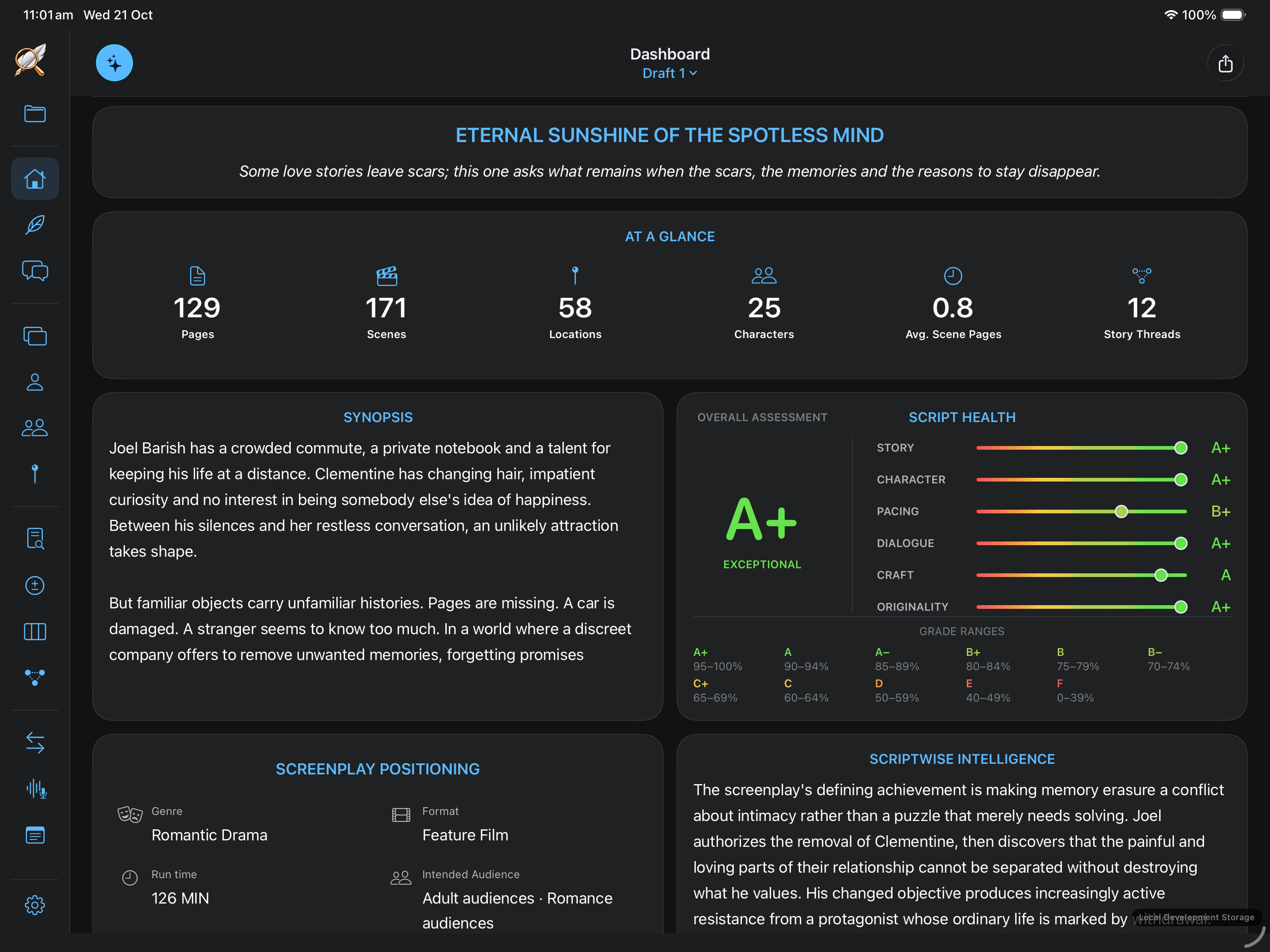
Every Script analysis dashboard showing screenplay statistics, synopsis, story assessment, character, pacing, dialogue, craft and originality
Eternal Sunshine of the Spotless Mind · Analysis dashboardView full size

The Dashboard brings the screenplay’s story, character, pacing, dialogue, craft and originality into one view.

01 / WRITING IS AT THE HEART OF EVERY SCRIPT

A professional
screenplay editor.

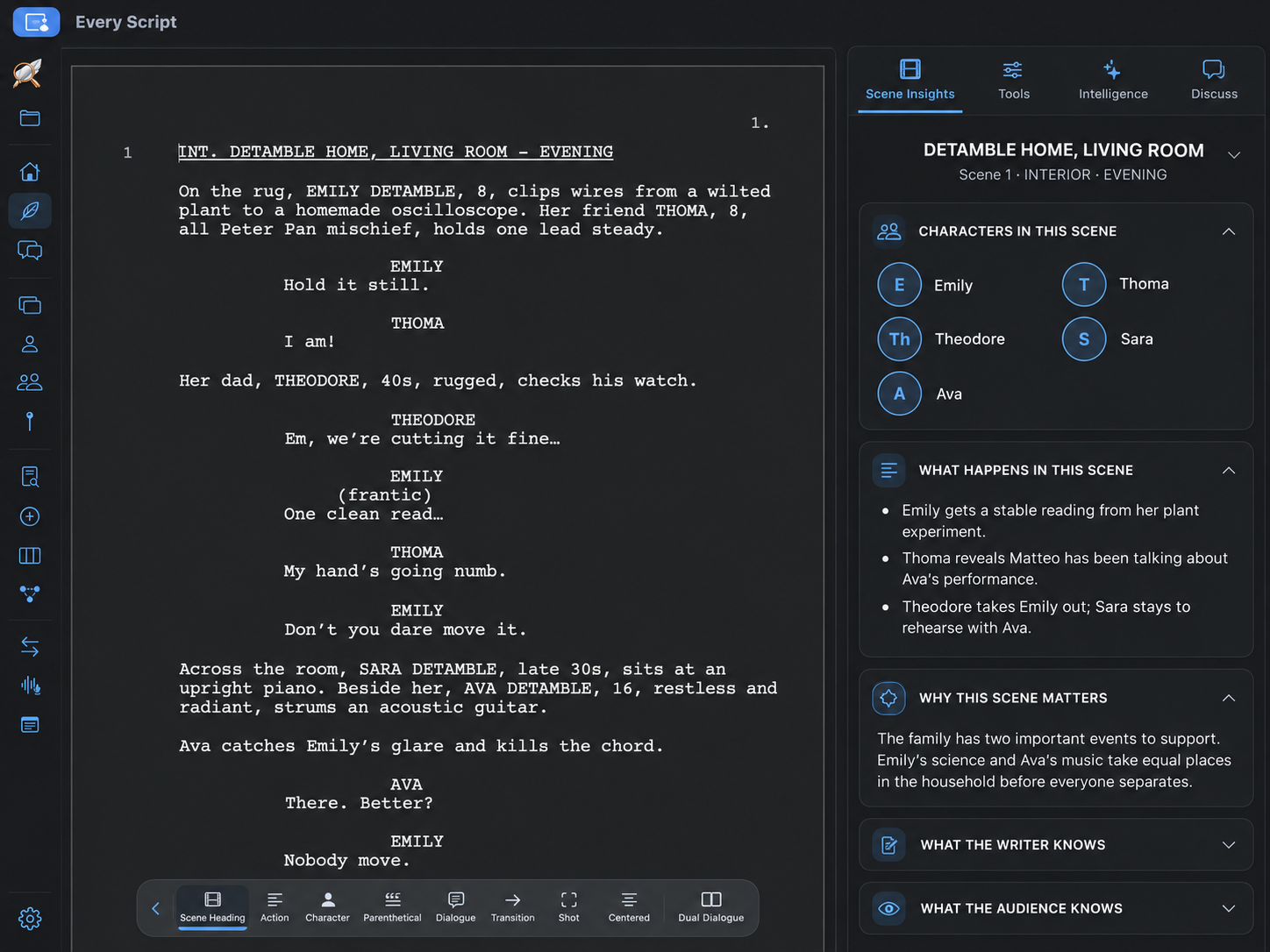
Every Script screenplay editor with formatted scene headings, action and dialogue, the writing toolbar below the page, and Scene Insights beside it
Your screenplay on the left. Scene Insights on the right.View full size

Write the film here. Your screenplay takes centre stage, with the scene’s characters, action and dramatic purpose beside it. Analysis, discussion and revision all lead back to the page.

From the first line to the final draft

Write scene headings, action and dialogue directly in Every Script. Screenplay formatting, styles, title pages, scene numbers, page setup, Find/Replace and keyboard shortcuts support the writing as your draft grows.
Keep the context beside you

Scene Insights brings the characters, action and dramatic purpose alongside the pages. See what the writer knows and what the audience knows, so you can shape each moment without leaving the scene.

Build the next draft here

Bring analysis back to the page. Think through a change in Discuss, keep a useful note, refine the writing and review your revisions. The tools support the screenplay you are writing.

START WHERE YOU ARE

Start with the work you have.

Already have a screenplay?

Import your FDX or PDF and start with analysis. Understand the draft before deciding what the rewrite needs.

Start with analysis

Coming from Every Story?

Bring your plan, scenes and character thinking into the writing workspace. Turn the film you’ve developed into pages.

Turn the plan into pages

Starting from scratch?

Open a screenplay and write. Bring in analysis when you have a draft to explore, then build on what you discover.

Start writing

02 UNDERSTAND THE DRAFT

Know what to protect.
Know where to work.

Before changing the pages, get a reading of the film as a whole. Then turn the feedback into decisions you can act on.

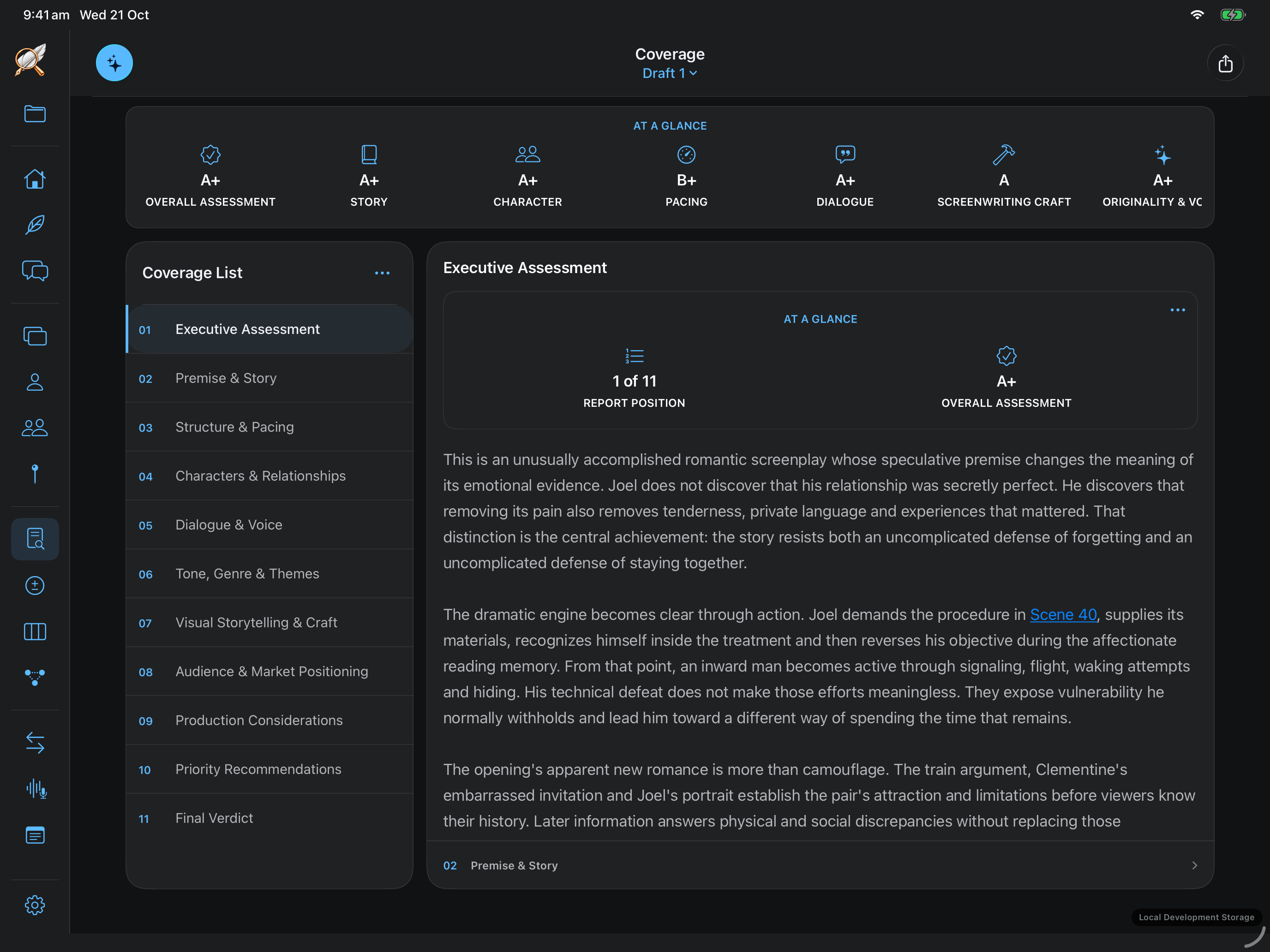
Every Script Coverage with its executive assessment, detailed reports and scene references
Read the reasons behind the assessmentView full size

Coverage

Go beyond a score.

Read the reasoning behind the assessment: the premise, structure, pacing, characters, dialogue and craft. Understand the strengths worth protecting and the choices limiting the film’s impact, with scene references that take you back to the pages.

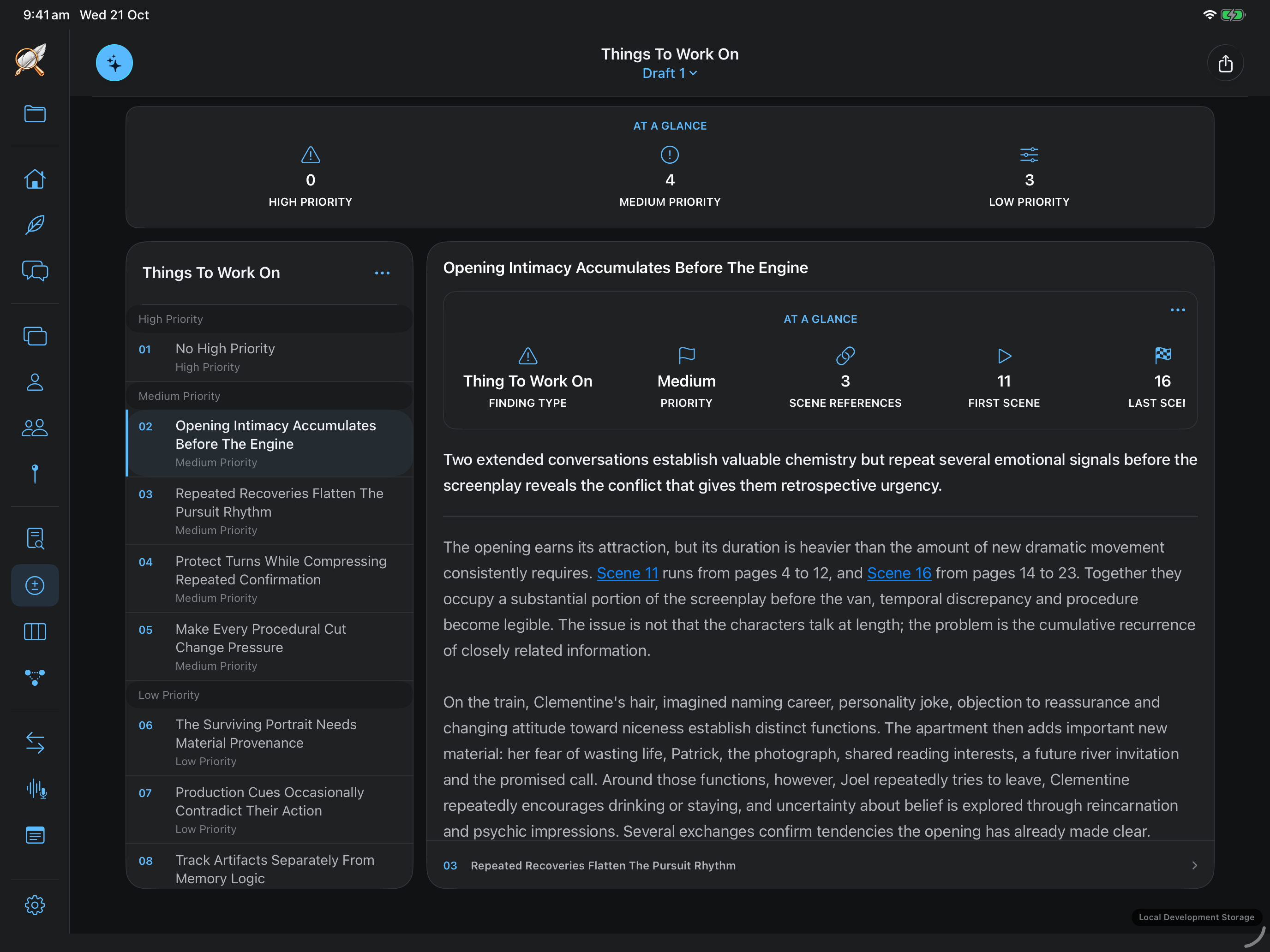
Every Script — Things To Work On
Eternal Sunshine of the Spotless Mind · Prioritised feedbackView full size

Things To Work On

Find a place to begin.

A note about pacing becomes a specific stretch of scenes. A character concern comes with its context, effect and possible approaches. Priorities help you choose the work that matters to this draft—and how you want to tackle it.

03 FOLLOW THE EVIDENCE

Find the moments
behind the note.

If the middle feels slow, the answer is somewhere in the film. Explore its shape, people and scenes to understand what is creating that experience.

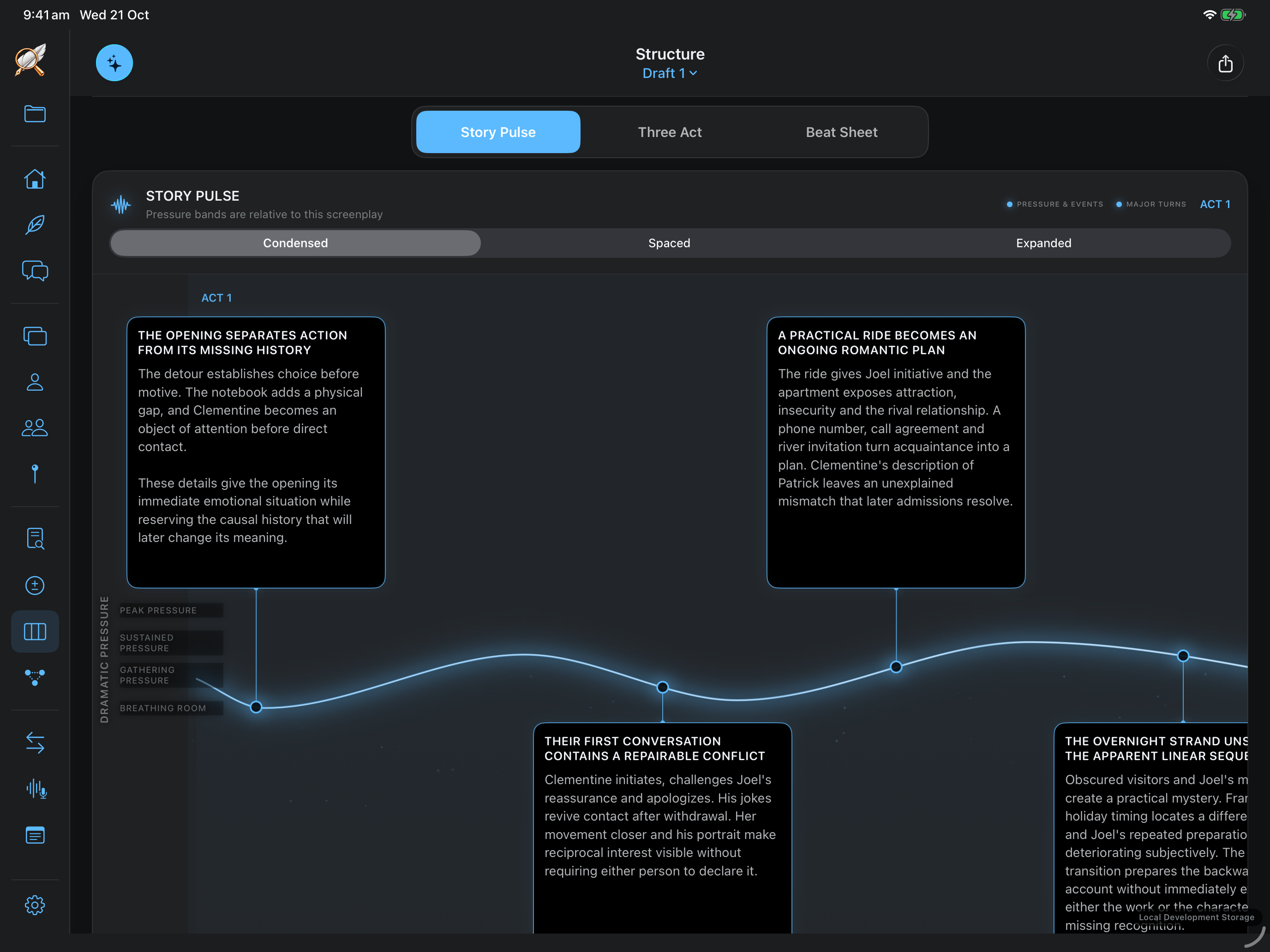
Every Script — story structure
Story Pulse, Three Act and Beat SheetView full size

Structure

See where the film changes gear.

Story Pulse, Three Act and Beat Sheet views give you different readings of the film’s shape. Follow the progression of pressure and turning points to the moments you want to strengthen.

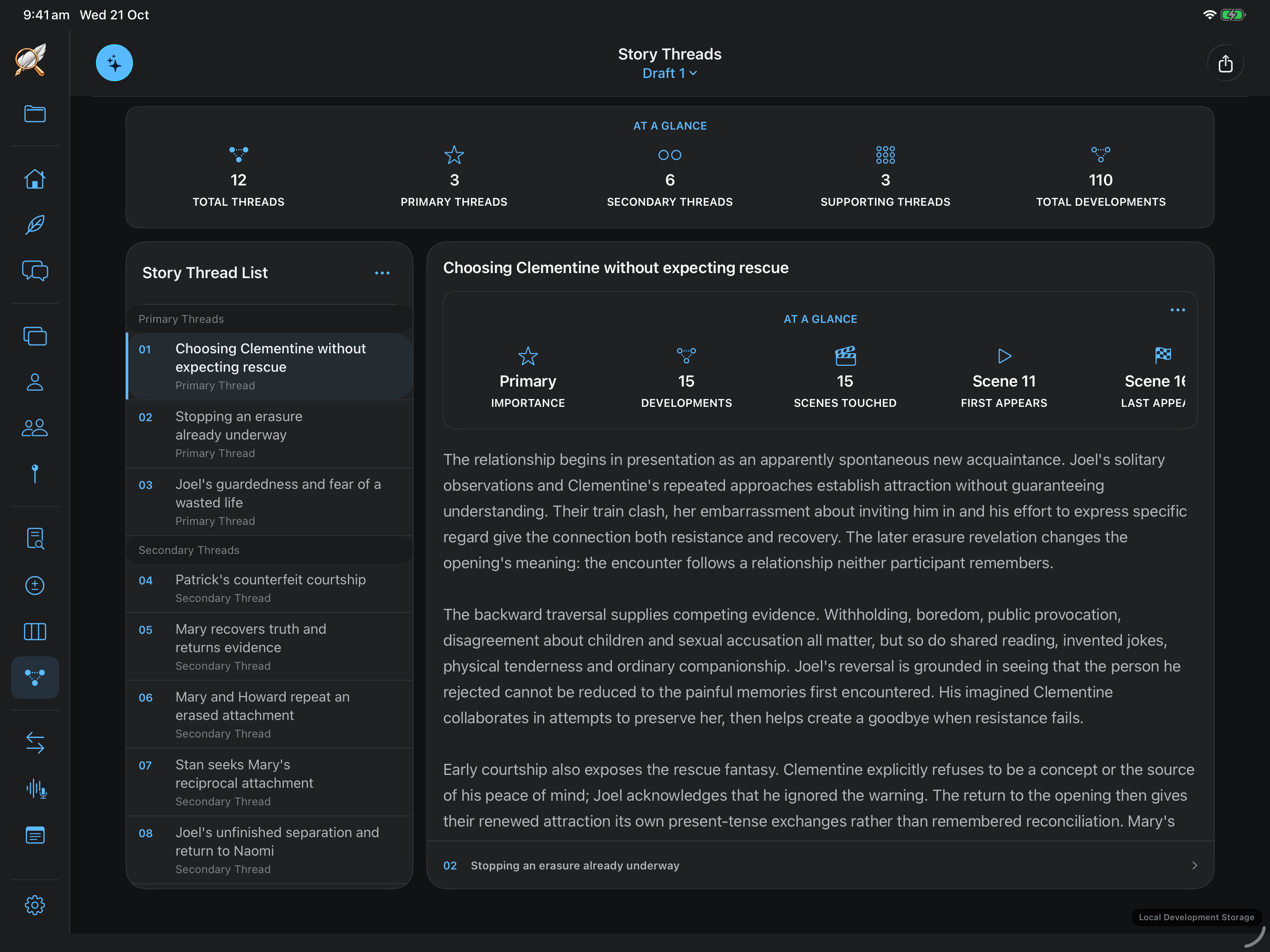
Every Script — story threads
Threads connected across the screenplayView full size

Story Threads

Follow the setup to its payoff.

Trace an idea through the screenplay: where it begins, how it develops and what it resolves. Scene-linked threads help you follow a setup, a reveal or a question across the film.

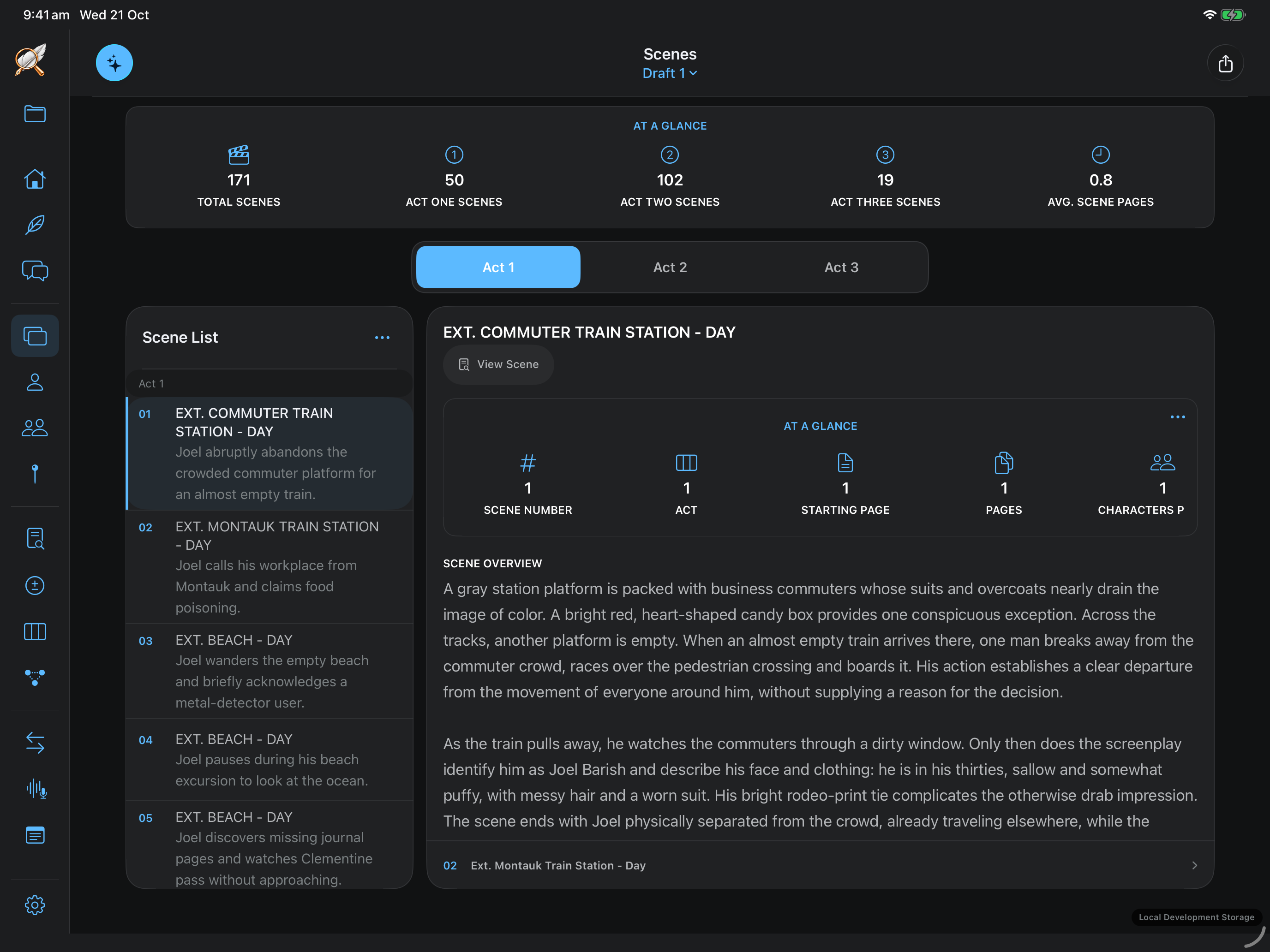
Every Script — scene analysis
Scene-by-scene story detailView full size

Scenes

Understand what the scene is doing.

Read what happens, who is present and the dramatic work each scene performs. Connect a broad concern about pace, motivation or a reveal to the actual moment on the page.

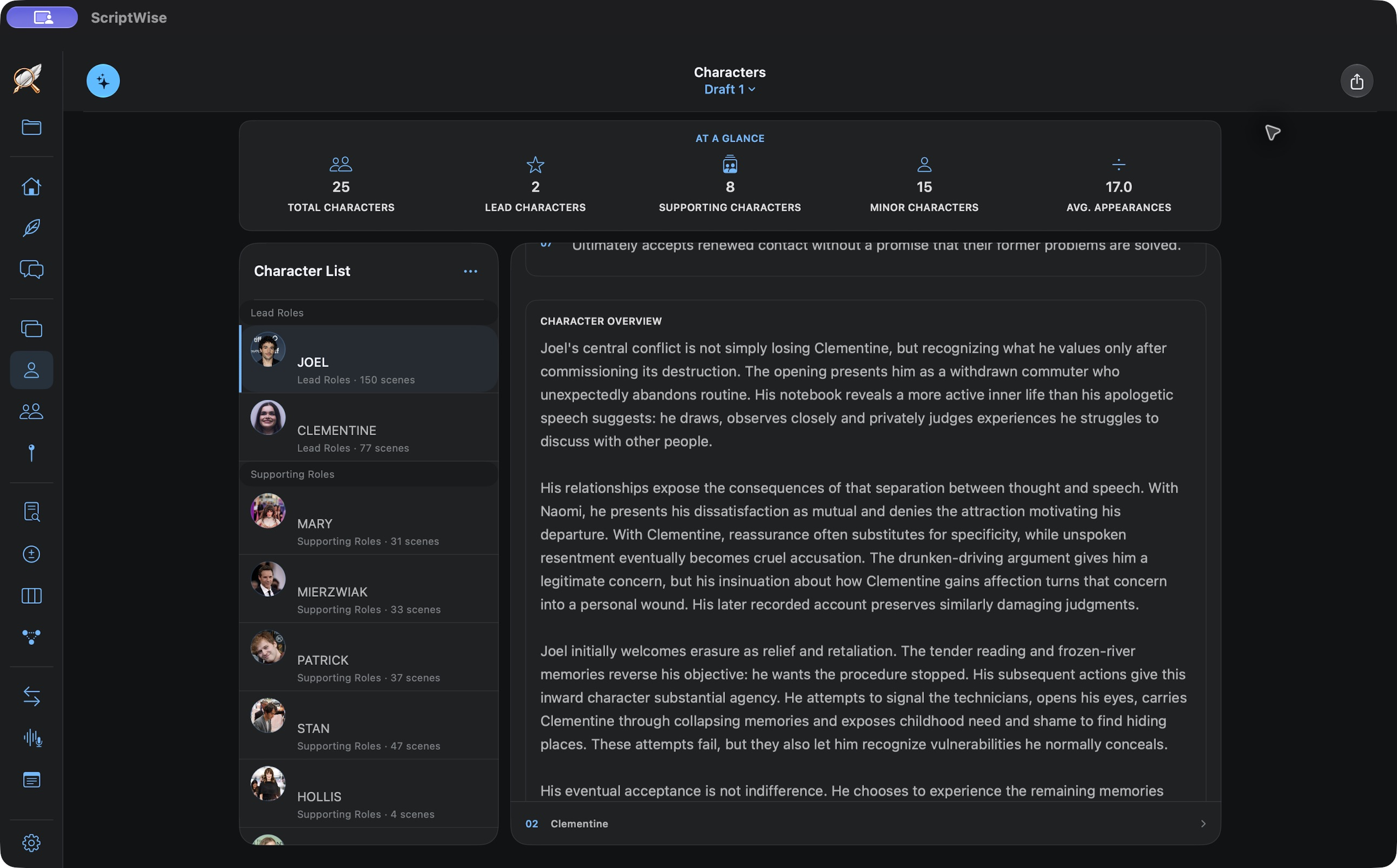
Every Script Characters view with a character overview and their development through the screenplay
Understand the choices driving a characterView full size

Characters

Follow the person through the choices.

Explore a character’s actions, appearances and development across the screenplay. See how the person on the page supports the character you intend the audience to understand.

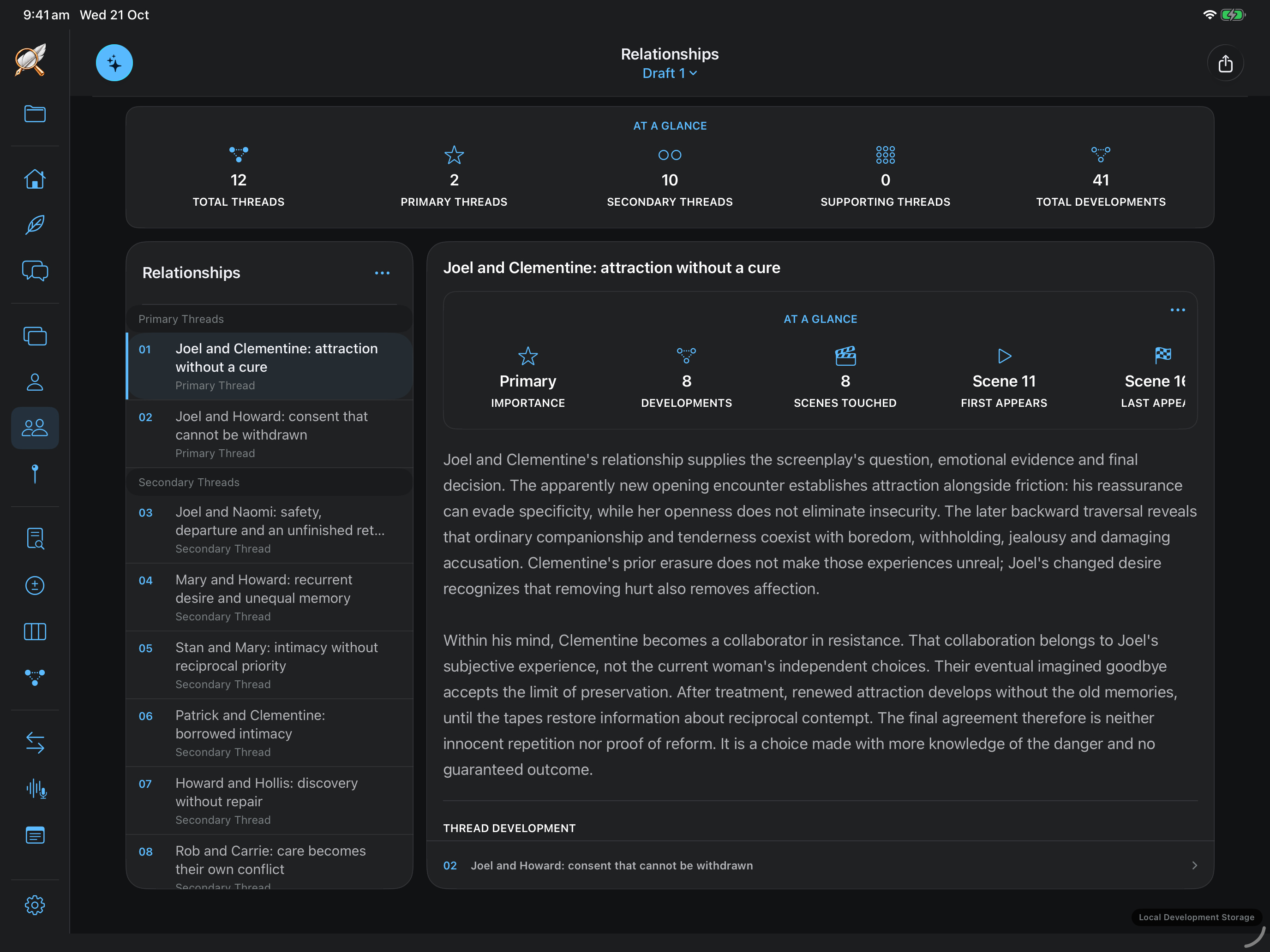
Every Script — relationships
Character relationships and their place in the storyView full size

Relationships

See what changes between them.

Follow the relationships driving the drama and the scenes in which they develop. Examine how a decision shifts trust, power or connection—and what later moments do with that change.

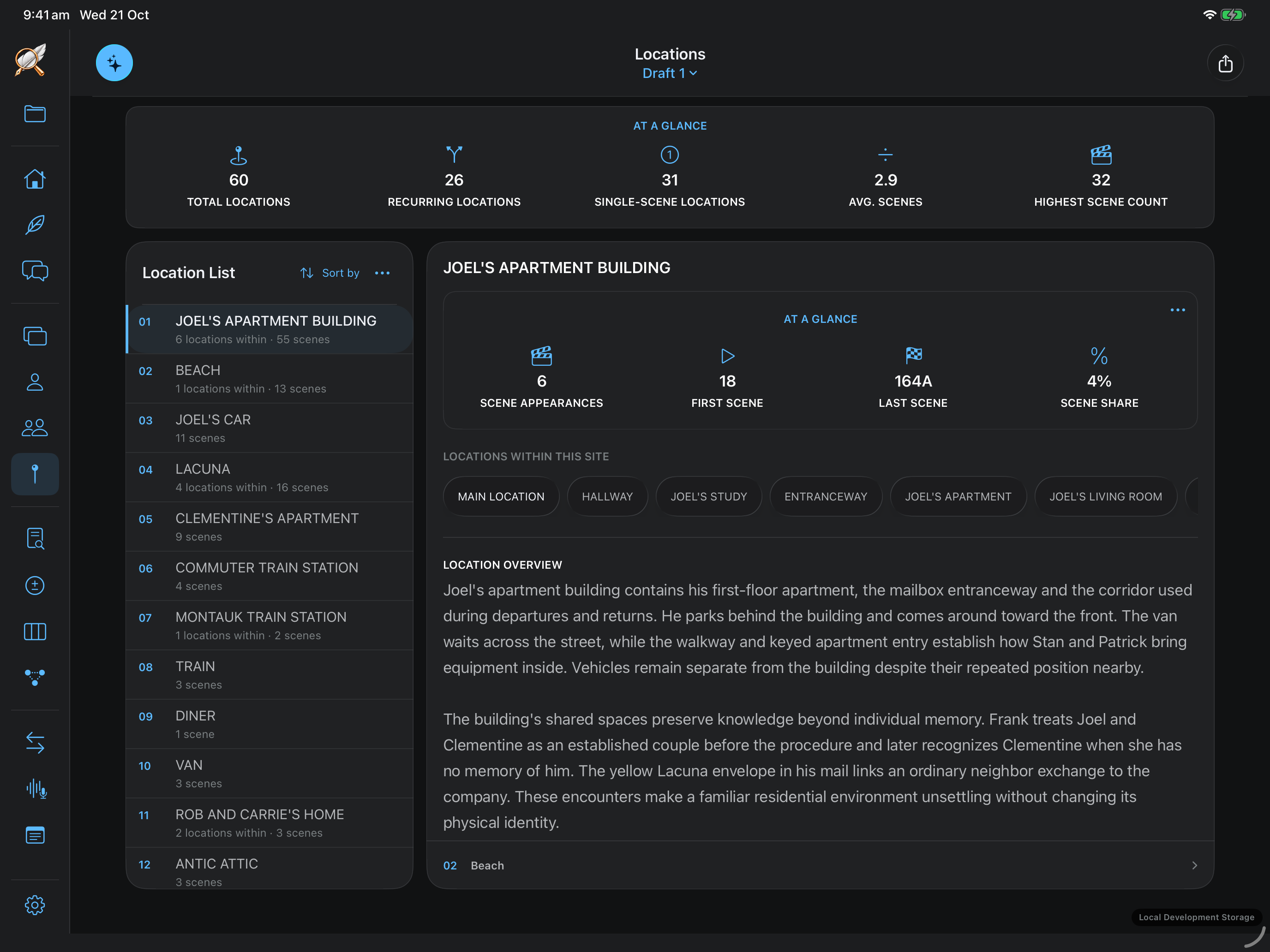
Every Script Locations showing recurring places, scene appearances and story context
Keep the places and their scenes connectedView full size

Locations

Keep the world connected.

Explore the places in the screenplay and the scenes attached to them. Recurring locations, appearances and story context help you keep the film’s geography and continuity in view.

04 SUPPORT FOR THE WRITING

Work through the idea.
Bring it back to the page.

When a scene raises a question, explore it in context. Keep the thinking that helps you write the next version.

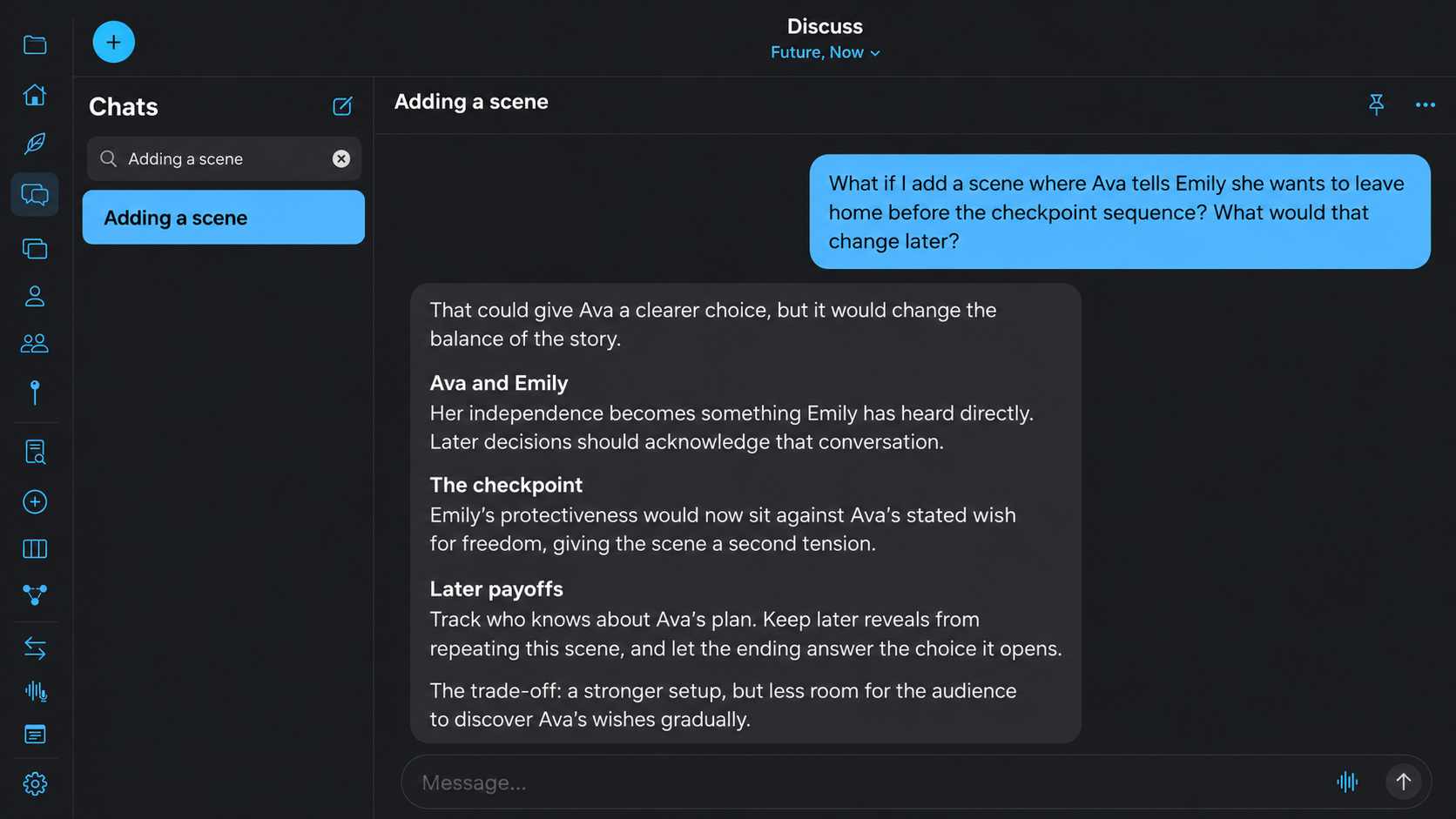
Every Script Discuss exploring how a proposed scene changes character choices and later payoffs
Explore what a new scene changes laterView full size

Discuss

Think the change through.

Ask what a new scene, a different motivation or a change in tone would mean for the rest of the film. Discuss a scene or the whole script through text or voice, and explore the consequences before you rewrite.

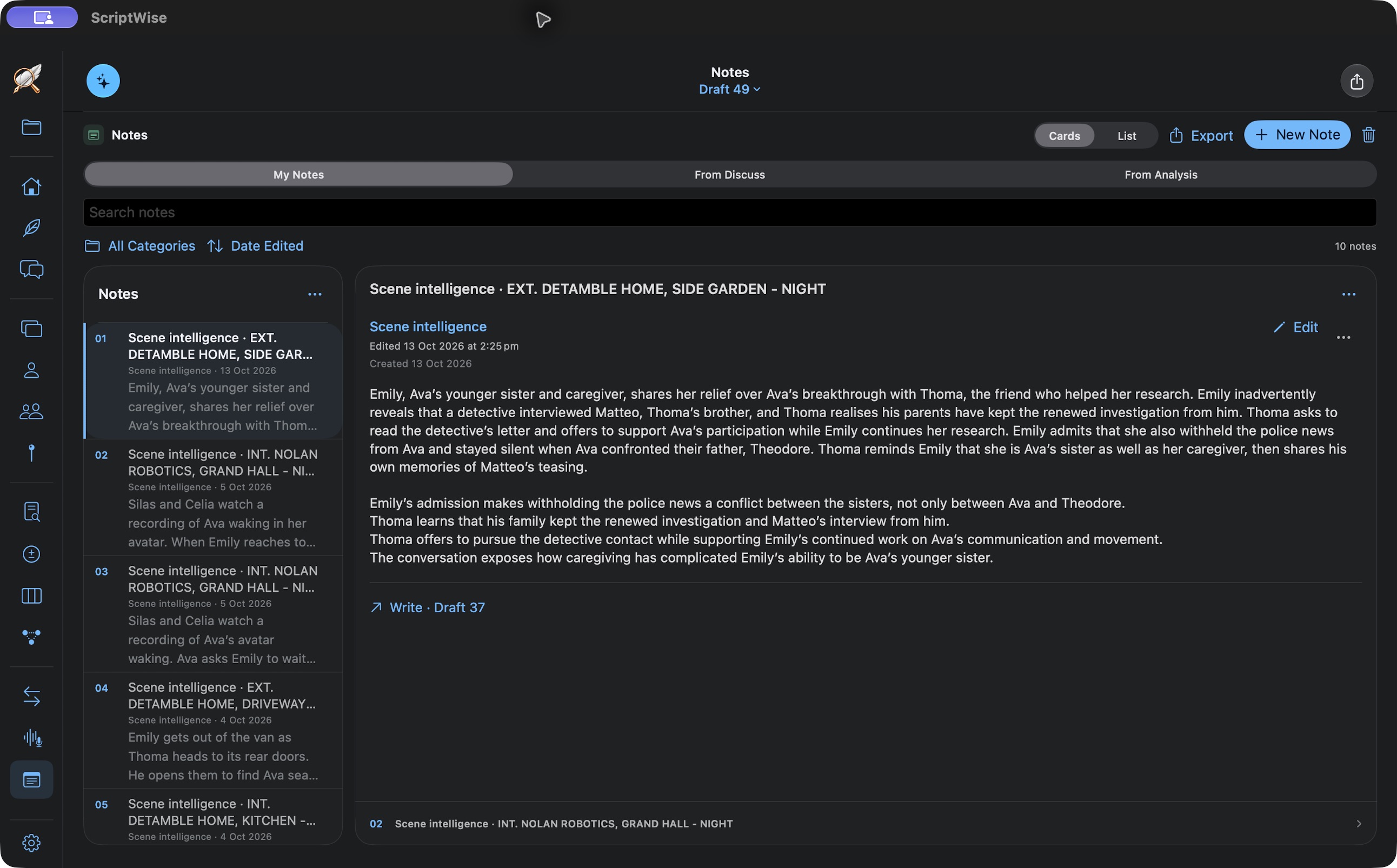
Every Script — Notes
Future, Now · Notes kept with the screenplayView full size

Notes

Keep the thought you’ll need later.

Save useful thinking from discussion and analysis with the project. Title, categorise and search notes, link them to scenes and pin conversations, so the idea is there when you return to the pages.

05 THE WORDS ON THE PAGE

Make it sharper.
Keep it yours.

Once the scene works, refine how it reads. Review the proposed edits and decide what serves your voice.

Every Script — Clean Up
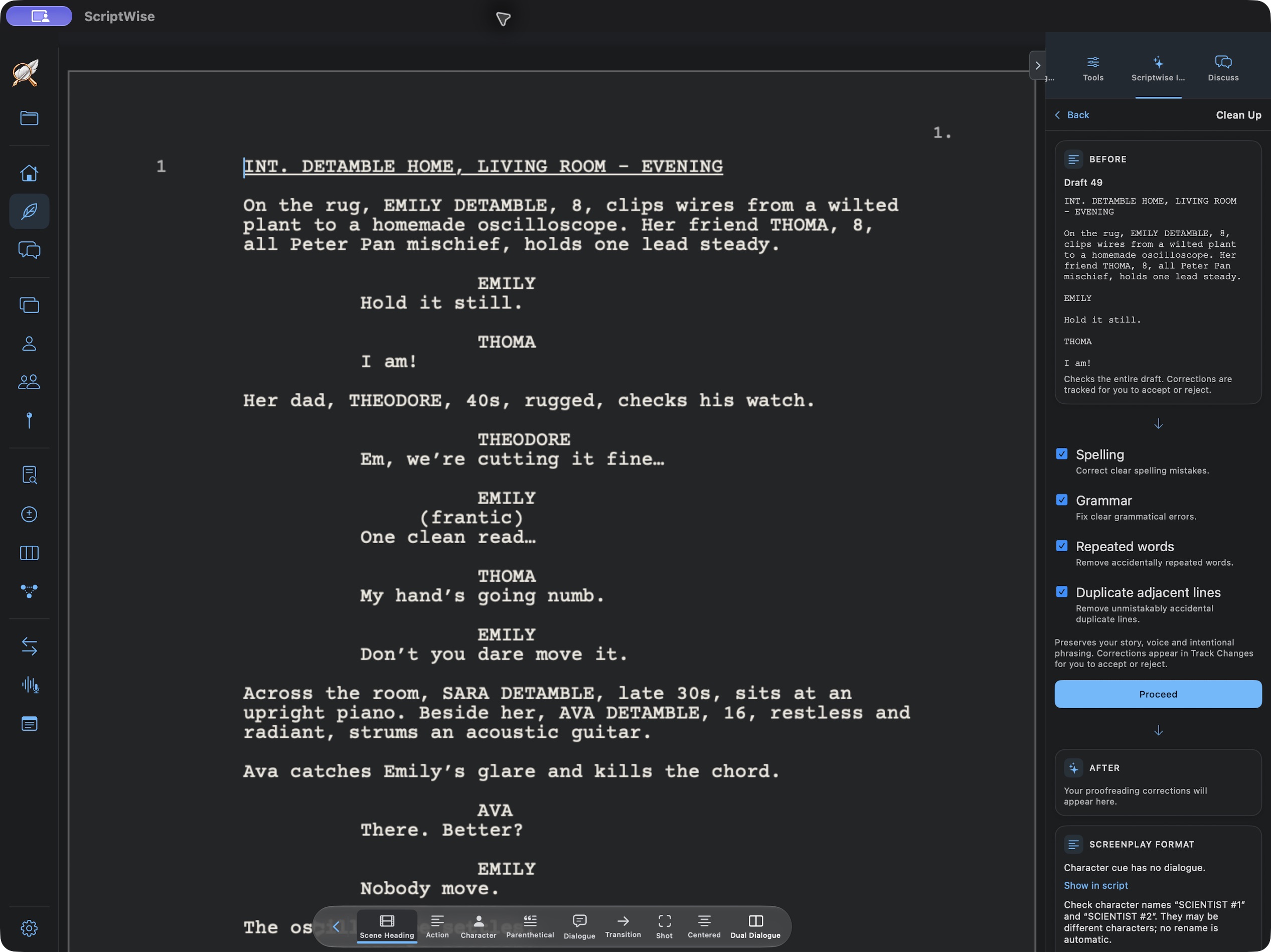
Future, Now · Clean Up in the writing workspaceView full size

Clean Up

Give the pages a careful pass.

Check spelling, grammar, repeated words and duplicate lines. Generated edits have a distinct colour so you can recognise the suggestions and accept or reject them.

Every Script — Reduce
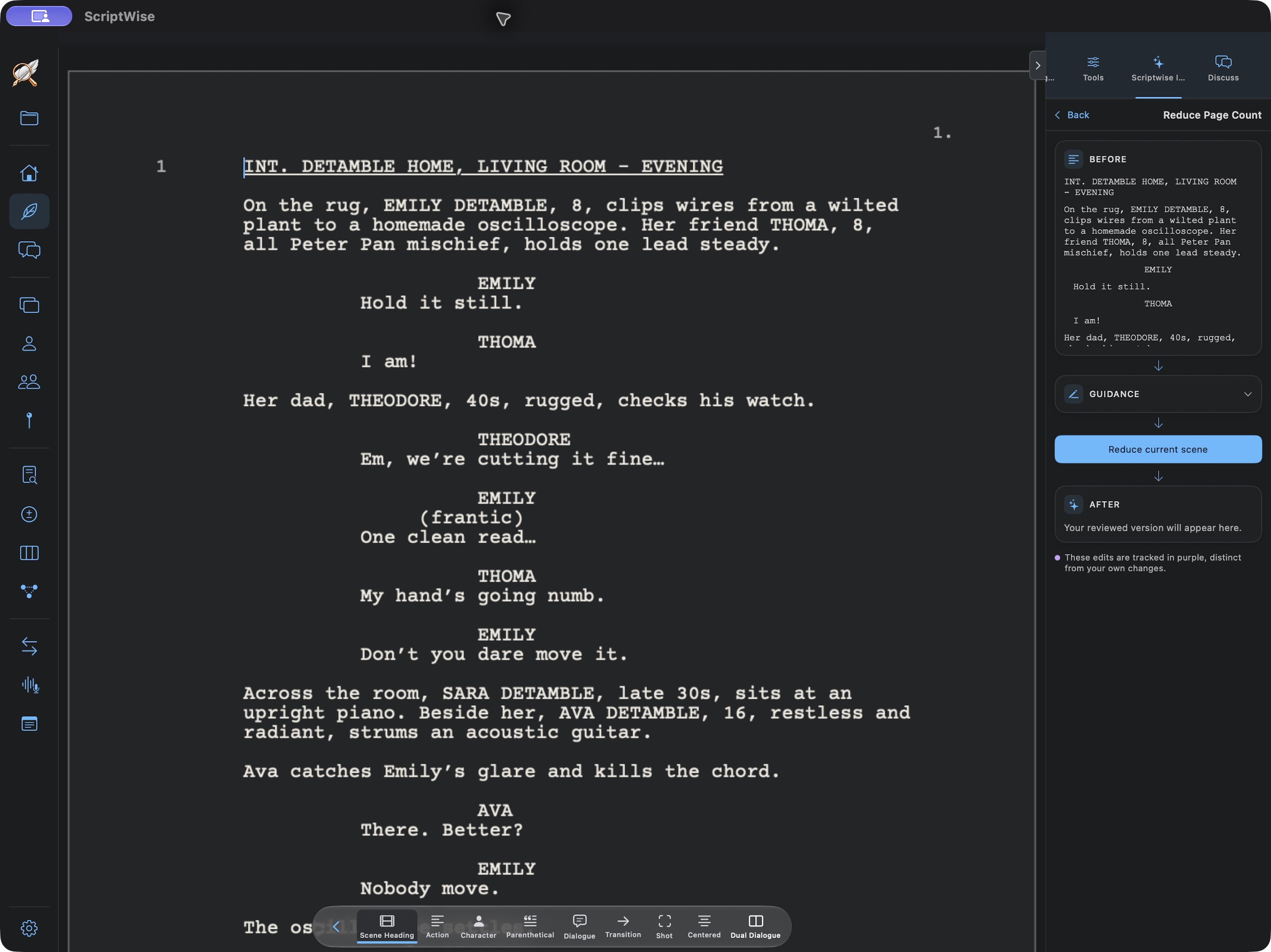
Future, Now · Reduction scopes and choicesView full size

Reduce

Say it with more precision.

Tighten action, trim detail, join paragraphs or fix trailing lines. Work on a selection, scenes, pages or the whole screenplay. Add your direction, compare Before and After, then replace the passage or keep an alternative.

Every Script — Track Changes
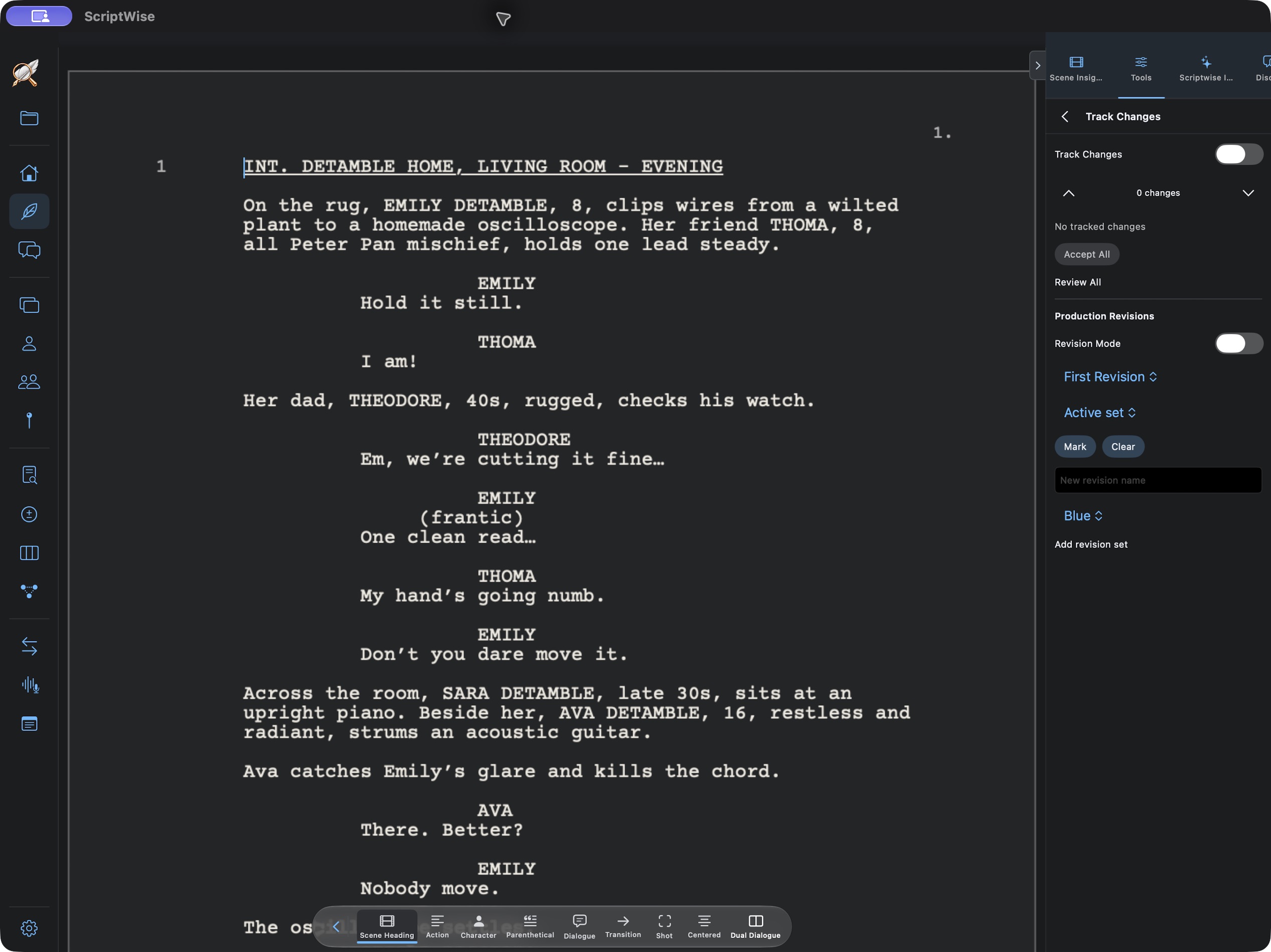
Future, Now · Tracked edits and revision controlsView full size

Track Changes & revision sets

See exactly what you changed.

Tracked edits and production revision sets keep the rewrite visible. Review the changes you’re carrying forward, accept or reject edits and use Undo or Redo as you work.

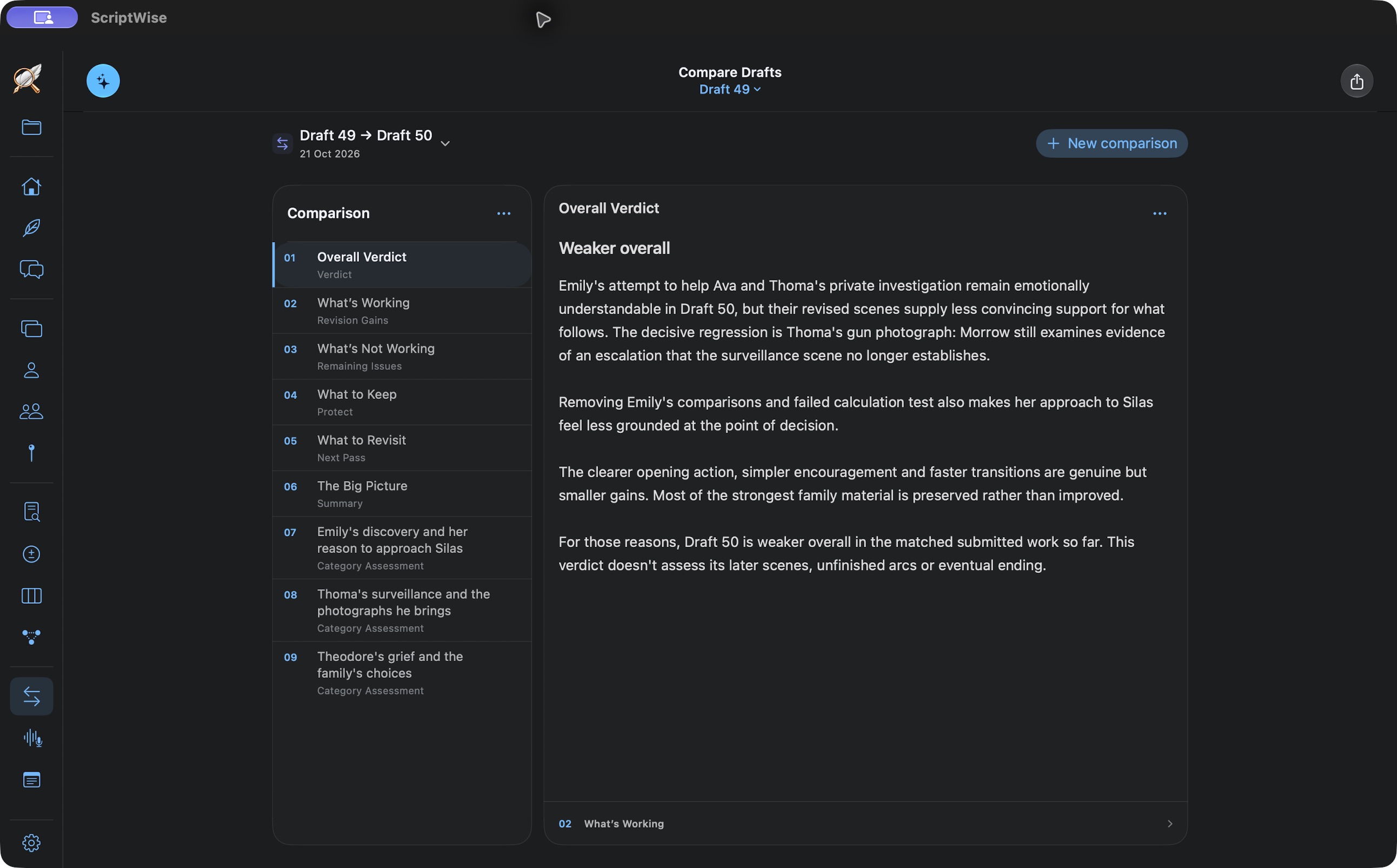
Keep drafts and milestones in a searchable project library. Export Final Draft FDX or PDF when you’re ready to share the screenplay.

06 A FRESH PERSPECTIVE

Hear how it plays.
See what the rewrite changed.

Step back from the sentences you have been working on. Listen to the film, then compare the new draft with the one you started from.

Every Script — AudioScript
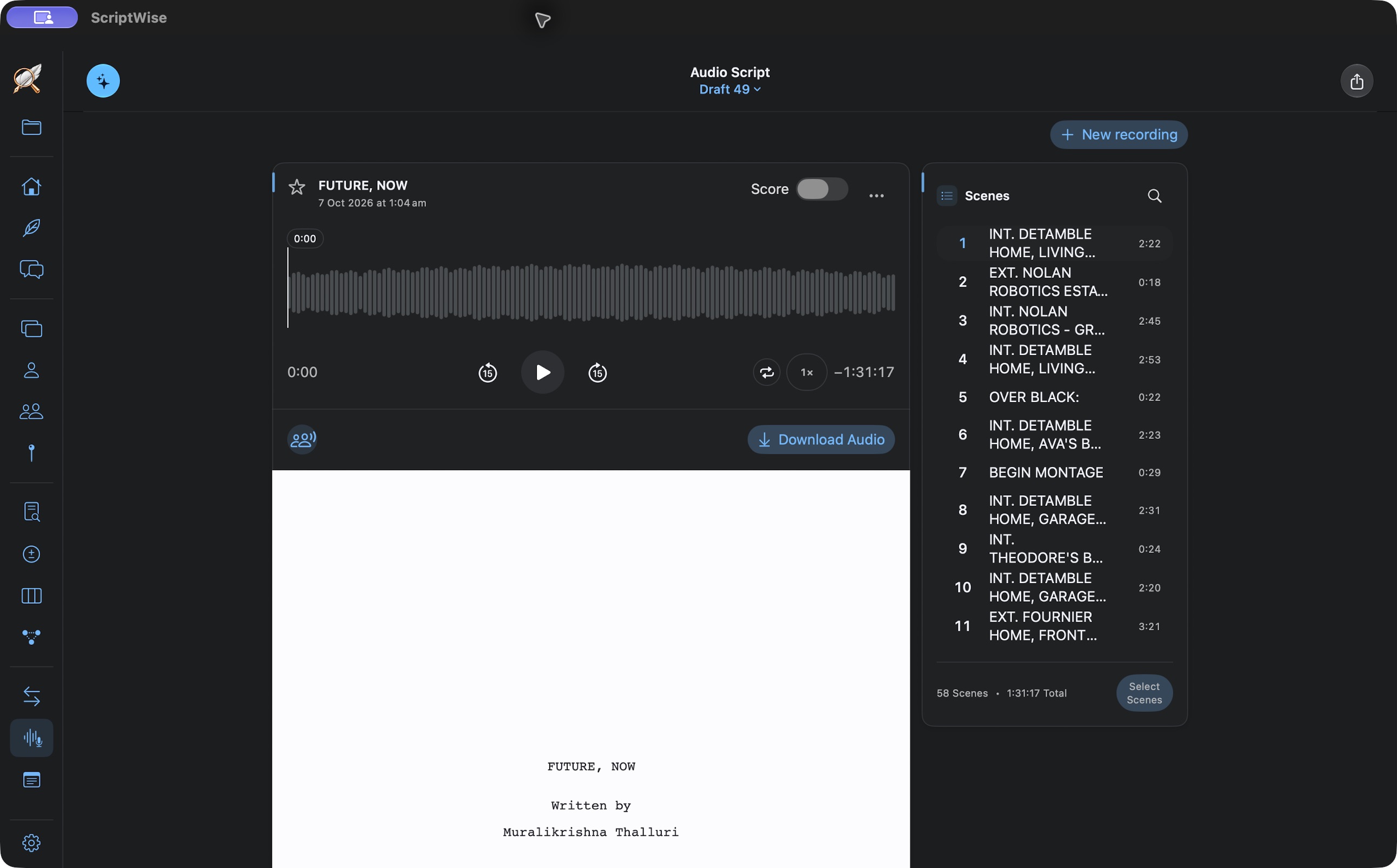
Future, Now · Saved AudioScript, scene selection and playbackView full size

Audio Script

Listen with fresh attention.

Hear dialogue, rhythm and pace through distinct character voices and narration. Play the draft or selected scenes, read along, change speed and replay a moment. Save recordings by draft, download them or share the audio.

Every Script — Compare Drafts
Future, Now · Comparison of drafts 49 and 50View full size

Compare Drafts

Know what the rewrite gained.

Compare scripts or successive drafts to see what improved and what may have been lost. Follow the evidence into scenes, identify what to protect or revisit, and return to earlier comparisons as the screenplay develops.

THE NEXT STEP

Every Schedule

A stronger screenplay. Ready for production planning.

Explore Every Schedule